This article contains affiliate links. If you make a purchase through these links, I may earn a commission at no extra cost to you.
As an Amazon Associate, I earn from qualifying purchases. Thanks for the support
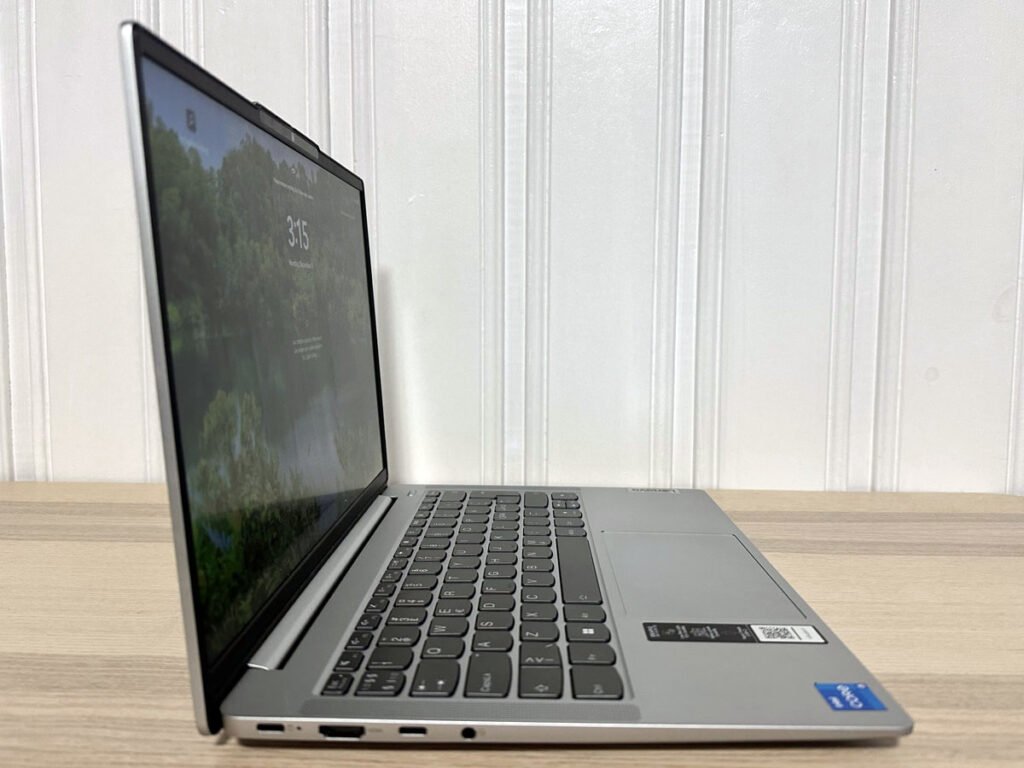
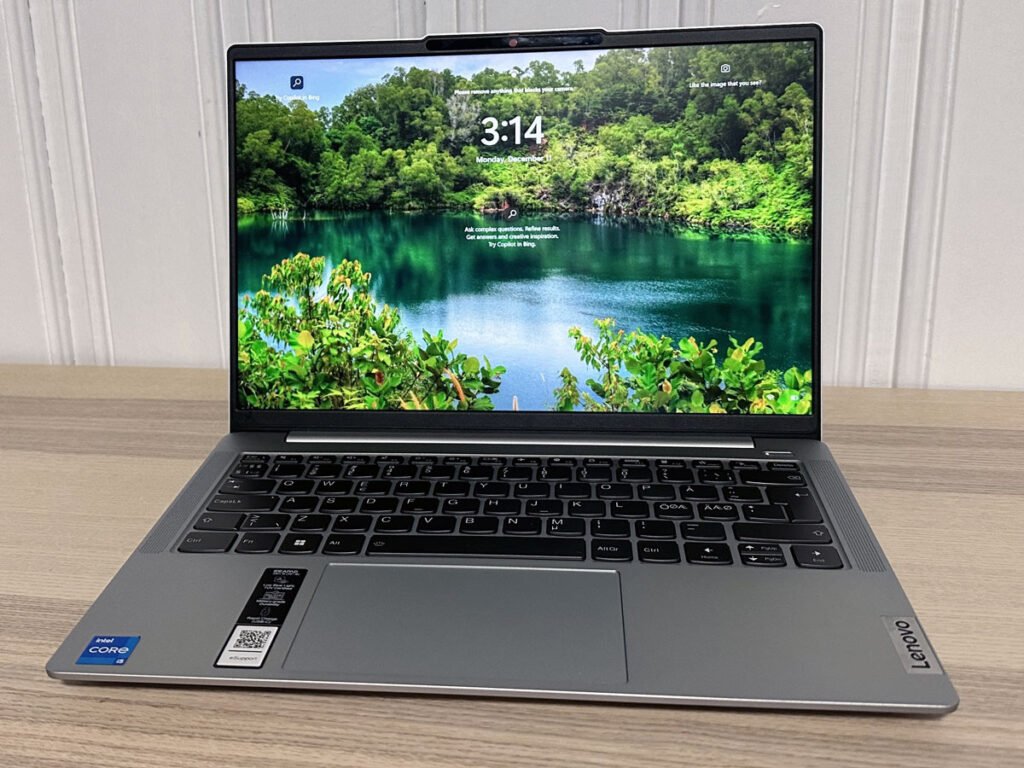

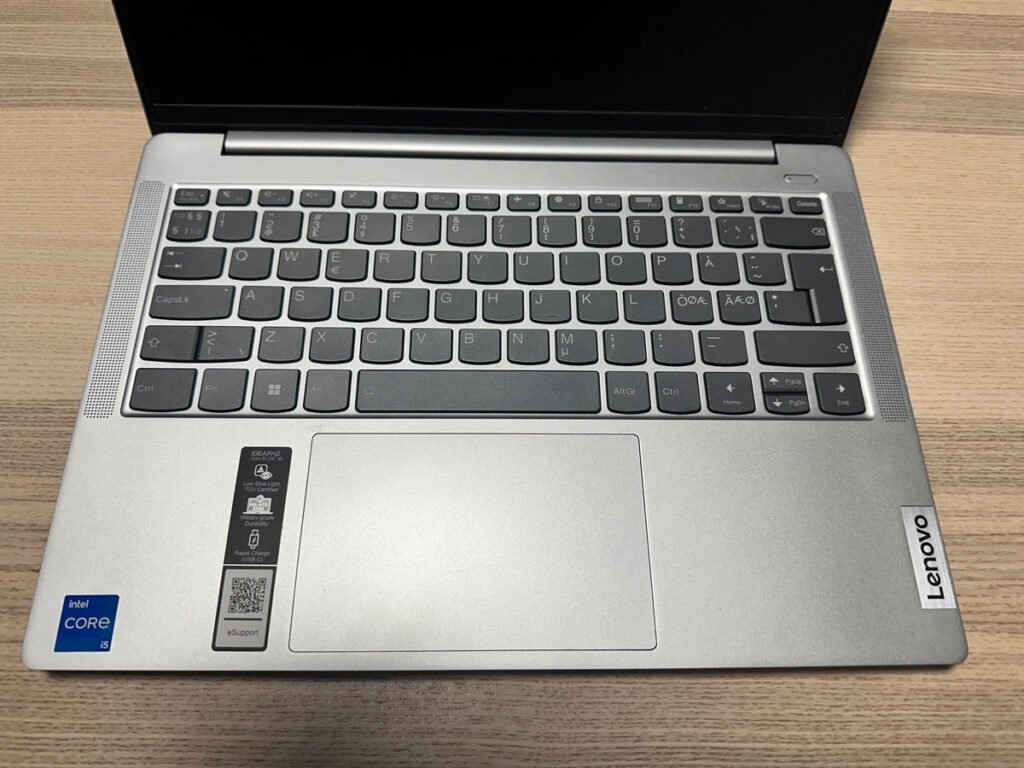
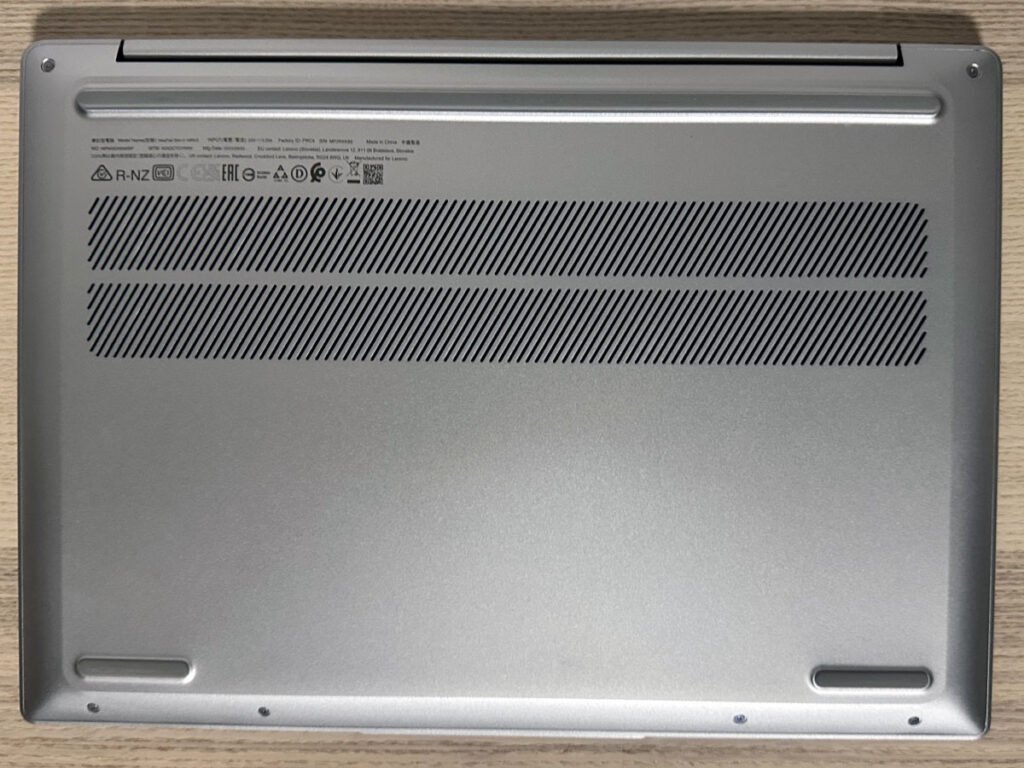
Discover the Lenovo IdeaPad Slim 5i review: Affordable Performance Excellence for Smart Consumers
Explore the world of budget-friendly computing with the Lenovo IdeaPad Slim 5i Gen 8. Offering a perfect blend of performance and affordability, this laptop is designed for those seeking a reliable computing experience without breaking the bank. Uncover the features that make it a smart choice for practical users who value functionality over flashy specs. Say goodbye to extravagant spending and hello to efficient performance with the Lenovo IdeaPad Slim 5i Gen 8.
Specification
Processor: 13th Gen Intel Core i7-13620H (10 cores, up to 4.9GHz)
Memory: 16GB LPDDR5 5200MHz (soldered, non-upgradable)
Storage: 1TB SSD, M.2 PCIe Gen 4 (upgradeable)
Display: 14 or 16-inch OLED, 1920×1200, HDR, 100% DCI-P3, 400 nits (Can be varied on models)
Graphics: Intel UHD Graphics (64 EUs, up to 1.5GHz)
Ports: USB-C 3.2 Gen1 (PD 3.0, DP 1.4), HDMI 1.4b, USB-C 3.2 Gen1, 3.5mm audio jack, 2x USB-A 3.2 Gen1, Micro SD card reader
Wireless: Intel AX211 Wi-Fi 6E (802.11ax 2×2), Bluetooth 5.1
Audio: Up-firing stereo speakers (2x2W), Dolby Audio
Webcam: 1080p Full HD RGB IR hybrid, dual microphones
Security: Webcam privacy shutter, Windows Hello with IR sensor, TPM 2.0
Battery: 56.6Wh, up to 7 hours (varies with usage)
Weight: 1.46kg (3.22lbs)
Dimensions: 320.6 x 217.3 x 15.9mm
Build: Aluminum top and bottom cover, military standard 810H tested
Cooling: Intelligent Cooling with fan control modes (Battery saving, Intelligent Cooling, Extreme Performance)
Operating System: Windows 10 Home
This specification overview provides a snapshot of the key features and components of the Lenovo IdeaPad Slim 5i Gen 8, offering a comprehensive glance at its capabilities.
Unboxing and First Impressions
The unboxing experience of the Lenovo IdeaPad Slim 5i Gen 8 is nothing short of delightful. The sleek packaging sets the stage for the elegance within. As you lift the lid, the laptop’s slim profile and sophisticated design immediately captures attention. Lenovo has truly invested in creating a product that not only performs well but also looks the part.
Design and Build Quality
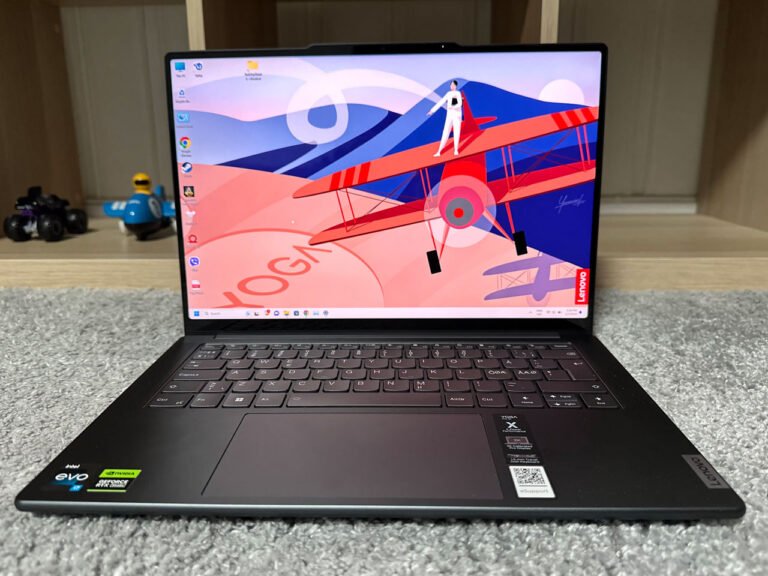
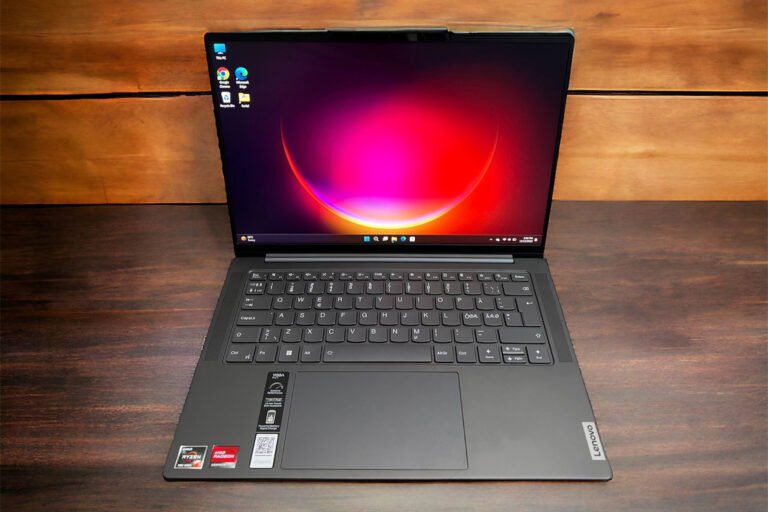
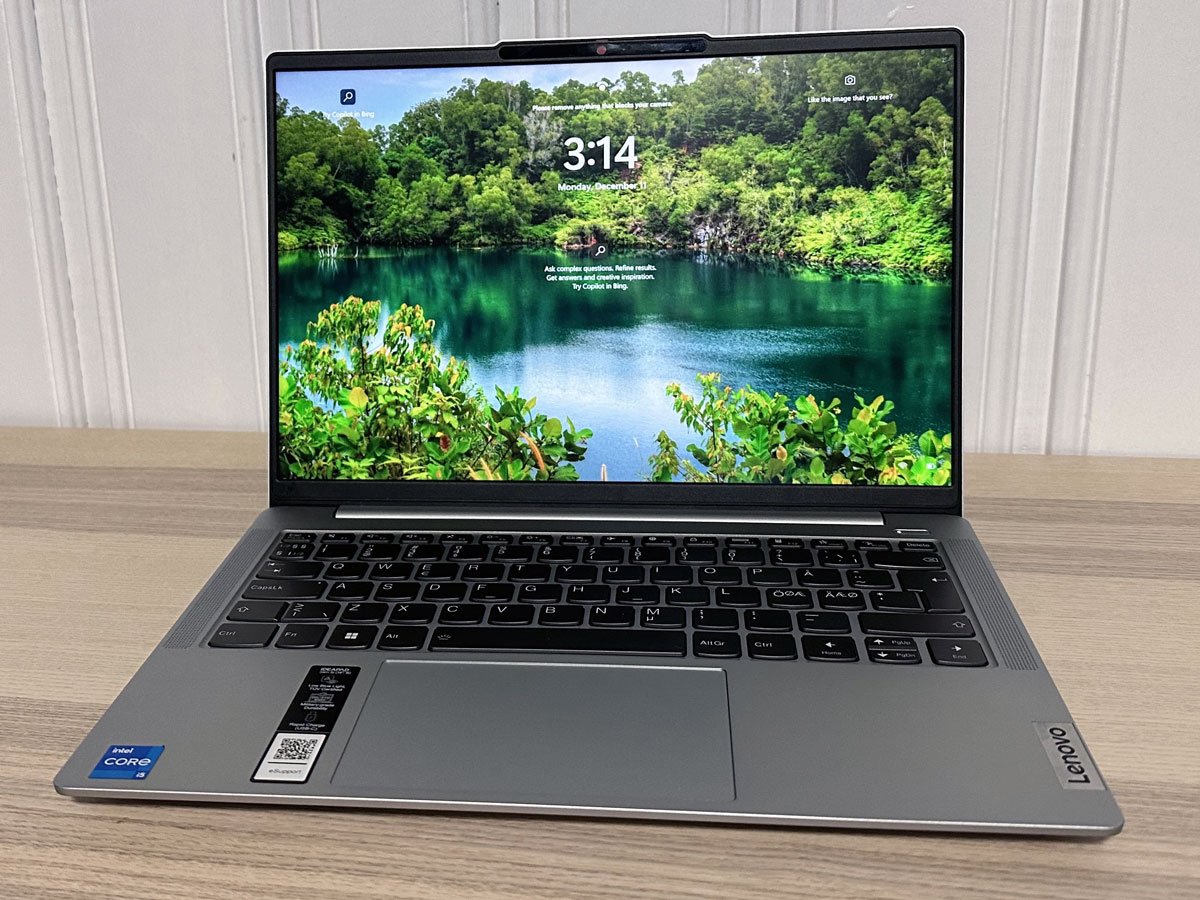
Available in Cloud Gray, Violet, or Abyss Blue, the IdeaPad Slim 5i strikes a balance between modern aesthetics and professional elegance. The aluminum top and bottom contribute to a solid feel, ensuring durability without compromising portability. The military standard 810H testing reassures users of its robust build, typically found in more premium laptops.
Display Technology: OLED Brilliance
The OLED display of the IdeaPad Slim 5i is a true standout feature. With a resolution of 1920×1200, the visual clarity is remarkable. The glossy finish, although prone to reflections, accentuates the vibrant colors and deep blacks. The HDR capability enhances the overall viewing experience, making it suitable for graphics-intensive tasks like photo editing in Adobe Photoshop or video editing in Premiere Pro.
Under the Hood: Performance Insights
Powering the IdeaPad Slim 5i is the 13th gen Intel Core i7 13620H processor, delivering a commendable performance for its price point. The 10 cores, with a maximum clock speed of 4.9 GHz, make it a capable machine for a variety of tasks. Whether you’re engaged in office productivity, DevOps, or content creation, the IdeaPad Slim 5i performs with excellence.
Graphics Capabilities: Intel UHD vs. Dedicated GPUs
While the integrated Intel UHD Graphics 64 EUs provide satisfactory performance for everyday tasks and older games, it falls short for demanding titles like Cyberpunk 2077 or Red Dead Redemption 2. For users seeking more graphical prowess, the IdeaPad Pro 5i with the NVIDIA GTX 3050 GPU option might be a better fit.
User Input: Keyboard and Touchpad Experience
The keyboard deck of the IdeaPad Slim 5i exudes solidity, offering minimal flex during intense typing sessions. The keys provide nice tactile feedback, making it a comfortable experience for extended use. However, it’s worth noting that the home, end, page up, and page down keys require the function key to access, which might take some adjustment.
Audio Performance: Stereo Speakers and Sound Quality
The IdeaPad Slim 5i features up-firing stereo speakers with 2×2 Watts, delivering audio that’s more than just satisfactory. While lacking in bass and character in the mid-tones, it serves well for streaming music or participating in Teams calls with clear voice quality.
Connectivity and Ports
Connectivity is a strong suit for the IdeaPad Slim 5i. With a USB-C 3.2 Gen1 port supporting data transfer, power delivery, and DisplayPort 1.4, alongside HDMI 1.4B, USB Type-A 3.2 Gen1 ports, and a Micro SD card reader, users have a versatile array of options. The Intel AX211 Wi-Fi 6E and Bluetooth 5.1 ensure reliable wireless connectivity.
Battery Life and Charging Efficiency
The IdeaPad Slim 5i’s 56.6 watt-hour battery, though removable, provides up to 7 hours of battery life for power users engaged in multitasking with multiple browser tabs, Teams calls, and other productivity tasks. However, for more demanding activities like gaming, battery life significantly decreases. Rapid charge support with the compact 65W USB-C power adapter is a handy feature, offering two hours of runtime with just a 15-minute charge.
Security Features and Privacy Measures
In terms of security, the IdeaPad Slim 5i ensures user privacy with a webcam privacy shutter and Windows Hello authentication. The IR sensor for Windows Hello proves to be both rapid and reliable, adding an extra layer of security. Additionally, the TPM 2.0 security encryption chip enhances data protection.
Upgradability and Internal Components
Internally, the IdeaPad Slim 5i presents a mix of pros and cons. On one hand, the soldered-on memory restricts post-purchase upgrades, emphasizing the importance of opting for the maximum 16GB available. On the other hand, storage can be easily upgraded through the PCIe 4.0 x4 slot, accommodating M.2 SSDs of various sizes.
Value Proposition: Pricing and Competitor Comparison
The IdeaPad Slim 5i stands out for its excellent value proposition. Priced competitively, it offers a compact design coupled with a powerful i7 processor, fast DDR5 memory, PCIe Gen 4 SSD, and a stunning OLED display. For users seeking top-notch performance without breaking the bank, this laptop presents an attractive option.
Pros and Cons
Pros
- Decent Performance for the Price
- Solid Keyboard Deck
- Upgradable Storage
- Good Display Color Accuracy with HDR
- Compact Design with Powerful CPU
Cons
- Touchpad Feedback
- Soldered-On Memory
- Average Battery Life
Final Thoughts
In conclusion, the Lenovo IdeaPad Slim 5i Gen 8 impresses with its blend of performance, design, and affordability. The powerful CPU, OLED display, and overall feature set make it an attractive choice for users with diverse computing needs. Despite minor drawbacks such as the touchpad and battery life, the IdeaPad Slim 5i excels in delivering a satisfying user experience, especially considering its competitive price point.
Frequently Asked Questions (FAQ)
Q1: Can the memory be upgraded after purchase?
A: Unfortunately, the memory is soldered on, so it’s advisable to choose the maximum 16GB configuration at the time of purchase.
Q2: How is the gaming performance on the IdeaPad Slim 5i?
A: While it can handle older or less demanding games well, for more graphic-intensive titles, the IdeaPad Pro 5i with a dedicated GPU might be a better choice.
Q3: Is the display suitable for creative work like photo or video editing?
A: Absolutely. The OLED display with HDR support and accurate color reproduction makes it an excellent choice for tasks like photo editing in Adobe Photoshop or video editing in Premiere Pro.
Q4: What’s the battery life like during gaming sessions?
A: Gaming tends to significantly reduce battery life. Expect less than two hours of gameplay on a full charge in Extreme Performance mode.
Q5: Are there alternative laptops with similar features in the market?
A: Yes, several alternatives include the Huawei MateBook D14, Asus VivoBook Pro 14 OLED, MSI Summit E14 Evo, Asus Swift 3 OLED, and Dell Inspiron 14 13th gen. However, the IdeaPad Slim 5i stands out for its OLED display and competitive pricing1.